Dynamic Mics vs Condensers: Less Background Noise?

Do dynamic mics pick up less background noise?
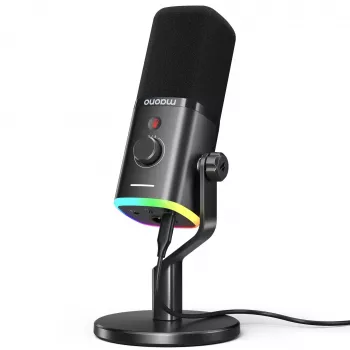
Yes—dynamic microphones typically pick up less background noise than condenser mics, but it’s not automatic magic. Most dynamic mics are less sensitive overall and are commonly used with tighter pickup patterns (often cardioid), so they tend to focus more on what’s directly in front of the mic and capture less room sound like fan noise, keyboard clatter, and reflections.
Why dynamic mics often sound “cleaner” in noisy rooms
Dynamic microphones use a moving-coil design that generally requires more sound energy to create the same output level as a condenser. That lower sensitivity can be helpful in untreated spaces because distant sounds don’t get amplified as easily. When you speak close to the mic (typically 2–6 inches), your voice becomes much louder than the room, improving the signal-to-noise ratio.
What still gets picked up (and why placement matters)
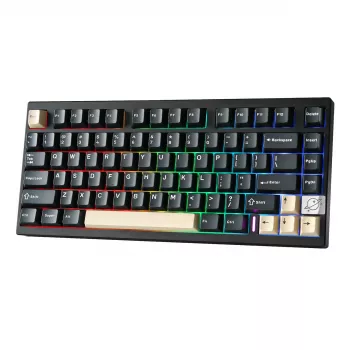
A dynamic mic can still capture background noise if the noise source is loud, close, or in the mic’s “hot” area. For example, a loud mechanical keyboard directly under the mic or a PC fan aimed at the mic can still be audible. The biggest difference comes from technique: aim the mic at your mouth, keep consistent distance, and place noise sources off to the sides or behind the mic where cardioid rejection is stronger.
Dynamic vs. condenser: the practical takeaway
If you record in a normal bedroom or office without acoustic treatment, a dynamic mic is often the safer choice for reducing room tone and random ambient sounds. However, you may need more gain from your interface or a preamp, and boosting gain too much can introduce hiss from lower-quality audio gear. Using proper gain staging and, if needed, a quality interface can keep the sound both loud and clean.
For a deeper breakdown of noise reduction tactics, setup tips, and choosing between USB and XLR options, see the full guide here: https://enticinghitsbay.shop/guide-usb-c-xlr-dynamic-rgb-gaming-mic-noise-reduction/.
FAQ
How can I reduce keyboard and PC fan noise on a microphone?
Move the mic closer to your mouth and lower the input gain so your voice dominates the recording. Place the keyboard and PC off-axis (to the side/back of the mic), and use simple treatments like a desk mat, quieter fans, or a noise gate for additional control.













Leave a comment