10CH WiFi Security Camera System: Coverage & Setup Tips
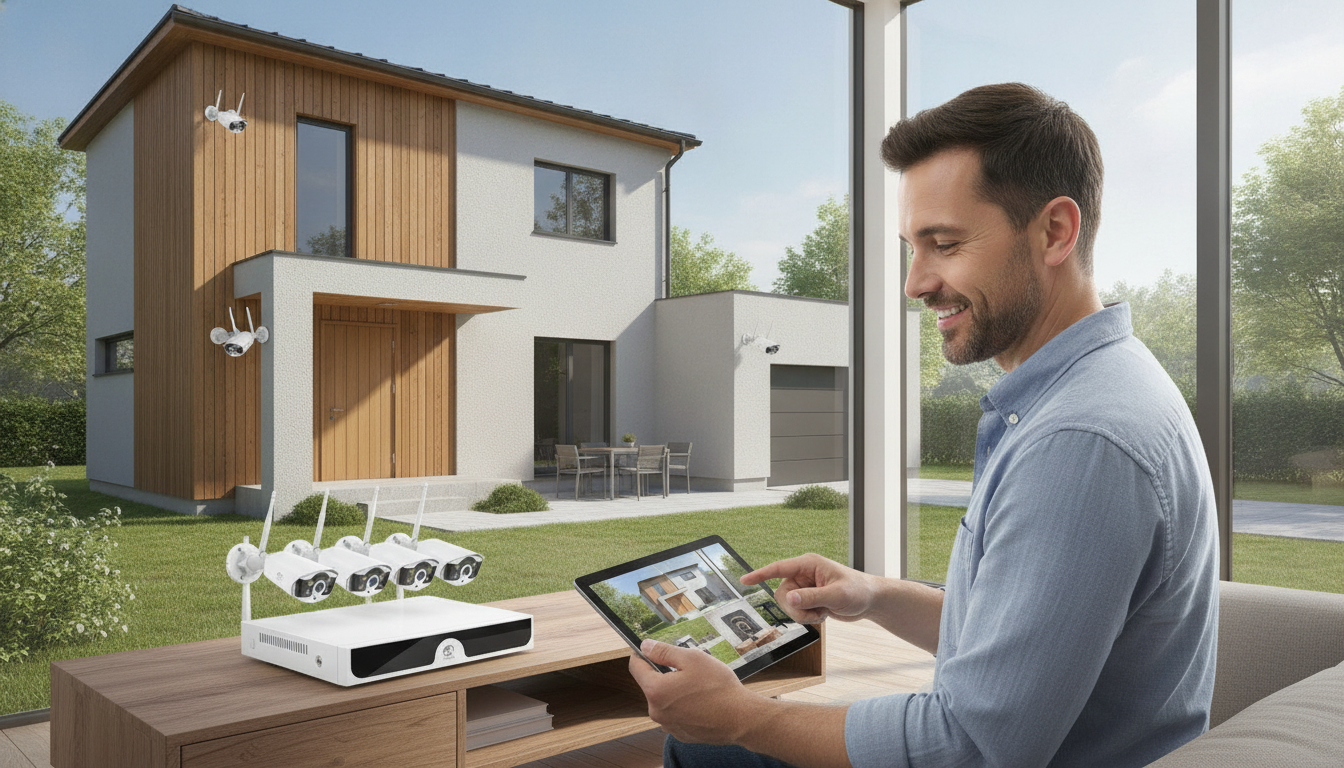
10CH WiFi Security Camera System: Multi-Camera Coverage for Home and Small Business
A 10-channel WiFi security camera setup is built for wider coverage without running network cables to every camera. Instead of wiring each camera back to the recorder, cameras communicate wirelessly while the recorder stays in a stable location with reliable power (and often a wired internet connection for smooth remote access). If you want to monitor multiple entry points, parking areas, hallways, or outbuildings—and still keep the option to expand—a 10-channel system is a practical step up from smaller kits.
What a 10CH WiFi camera system is
A “10-channel” (10CH) WiFi system usually refers to the recorder or hub’s capacity: it can manage up to 10 cameras. Many kits ship with fewer cameras (for example, 4 or 6), leaving open channels so you can add cameras later as your coverage needs grow.
- Channels = maximum cameras supported: you don’t need to buy all 10 cameras on day one.
- WiFi camera connections: cameras connect wirelessly, but each camera still needs power (typically via a nearby outlet).
- Recorder stability matters: the NVR/recorder should be on a surge protector and placed where WiFi and internet connectivity are dependable.
- Common components: cameras, an NVR/recorder, power adapters, mounting hardware, and a mobile/desktop app for live view and alerts.
- Best fit: properties that need multiple viewpoints—front door, driveway, backyard, garage, hallways, and common areas.
Who benefits most from a 10-channel setup
- Larger homes: cover all exterior sides plus key interior areas (living room, hallway, nursery—where appropriate and legal).
- Small businesses: cover front door, register area, stock room, back door, and nearby parking spots.
- Multi-unit or outbuildings: monitor detached garages, workshops, or sheds where running Ethernet is difficult or expensive.
- Households wanting expandability: start with fewer cameras, then add coverage after a remodel, new fence line, or changing routines.
Key features to compare before buying
With multi-camera systems, daily usability matters as much as specs. A system that’s easy to review, export, and manage is more likely to be used consistently—especially when multiple people need access.
- Video resolution and low-light performance: clarity depends on sensor quality and optics, not just megapixels.
- Motion alerts and detection zones: use activity zones and sensitivity settings to cut false alerts from roads, trees, or pets.
- Recording options: continuous, motion-only, or scheduled recording; confirm realistic retention time for your camera count.
- Remote access: look for stable live view, fast playback scrubbing, and simple clip export from the phone app.
- Two-way audio and deterrence: helpful for deliveries, unexpected visitors, or discouraging trespassers (where supported).
- Storage and retention: verify hard-drive support, maximum capacity, and whether cloud backup is optional.
- Privacy and security controls: prioritize strong passwords, firmware updates, user permissions, and encryption support. For general IoT security guidance, see resources from CISA and NIST.
Feature checklist for a 10CH WiFi camera system
| Feature | Why it matters | What to confirm |
|---|---|---|
| Channels | Determines how many cameras can be added | Up to 10 cameras supported; expansion allowed |
| Night vision | Improves visibility after dark | IR range, color night vision (if available), low-light sensor quality |
| Motion alerts | Reduces unnecessary notifications | Custom zones, sensitivity control, person/vehicle detection (if available) |
| Storage | Controls how long footage is saved | HDD included or required; max supported capacity; overwrite settings |
| Remote app | Daily usability and reliability | Live view stability, playback speed, multi-camera grid, sharing access |
| WiFi reliability | Prevents dropouts and missed events | Supported WiFi bands, antenna design, recommended distance/obstacles |
| Security | Protects cameras and recordings | Firmware updates, encryption, unique passwords, user roles |
Placement planning for full coverage
Strong coverage starts with a plan. Before drilling, walk the property and map what you want each camera to accomplish: detection (something happened) versus identification (who it was).
WiFi performance and reliability tips
- Centralize key equipment: place the recorder/router centrally when possible; distance and walls reduce signal strength.
- Choose the clearest band: use the least congested band available and keep cameras within the recommended range.
- Upgrade coverage if needed: consider a mesh WiFi system or a dedicated access point for far cameras.
- Separate traffic: use a guest network or VLAN (if supported) to isolate cameras from general browsing devices.
- Reduce interference: nearby wireless devices can compete for airtime; the FCC consumer guides offer helpful background on wireless interference basics.
Setup steps that prevent common headaches
Product options in stock
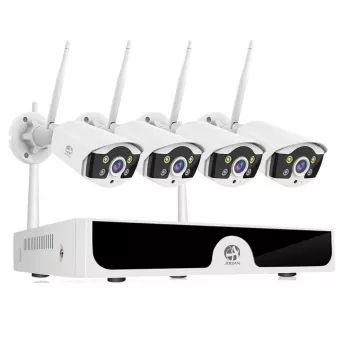
If you’re ready to build multi-camera coverage with room to expand, this recorder-based option is available now: 10CH WiFi Security Camera System. Check the listing for what’s included in the box, supported storage capacity, and the included camera count versus the maximum 10 channels.
You can also browse other in-stock items here: High Pressure Airless Paint Spray Gun & Hose Kit with Extension Rod and 3mm Moissanite Tennis Bracelet for Women in 925 Sterling Silver with Gold Plating.
Maintenance and long-term ownership
FAQ
Does a 10-channel system require 10 cameras?
No. “10 channels” describes the maximum number of cameras the recorder can support, so you can start with fewer cameras and add compatible cameras later.
Will WiFi cameras still record if the internet goes out?
In many NVR-based systems, local recording can continue even if the internet is down, as long as cameras and the recorder still have power and their local connection remains active. Remote viewing and app notifications may stop until internet service returns.
How much storage is needed for a 10-camera setup?
Storage needs depend on resolution, frame rate, compression (encoding), and whether you record continuously or only on motion. For 10 cameras, confirm the recorder’s maximum hard-drive capacity and choose a drive size that matches your retention goal (for example, several days to a few weeks).













Leave a comment